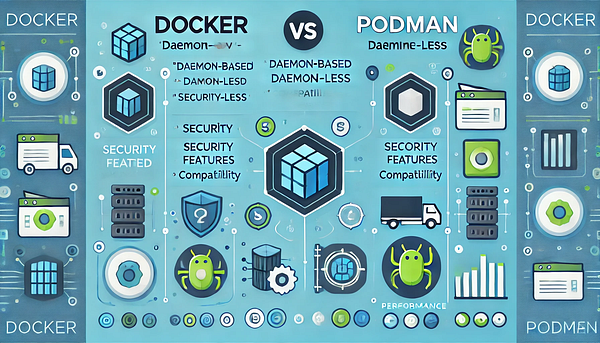
TL;DR: Docker vs Podman
Docker is still the king of the container world. Its ecosystem is massive, Docker Hub has images for everything, and the workflow is dead simple — docker run and you’re in.
Podman ships rootless by default, which is more secure than Docker’s root-by-default behavior on Linux. Its systemd integration is also better, making it easy to manage containers like regular services.
For beginners, I’d still recommend starting with Docker — the documentation and community support are unmatched. But if you’re a Linux admin or security matters to you, Podman gives you more for production deployments.
What it actually looks like day-to-day
Open a terminal and you’ll notice the commands are nearly identical. podman run, podman build are drop-in replacements for their Docker equivalents. The interfaces look similar too, though Docker has a polished Desktop GUI that’s easier to navigate visually.
The clearest difference: when listing containers, Docker shows daemon status alongside them. Podman’s output is cleaner because there’s no background service running. When you inspect a container, Podman shows more detail on security context.
Looking at just the CLI, Podman feels “lighter” — no waiting for a daemon to start. But Docker Desktop makes image and volume management much easier, especially for anyone who dislikes command line.
Why container runtime choice matters
Ever deployed an app that worked perfectly locally, then broke in production? That’s the itch containers scratch — consistent runtime environments everywhere.
But then you have to choose between Docker and Podman, which is frustrating because they look the same on the surface. The real difference is architectural: Docker uses a daemon, Podman is daemonless.
The confusion comes from not knowing which one fits your workflow. Sometimes you don’t need to switch from Docker at all, if it’s already working for you.
Where Docker and Podman sit in the container landscape
Docker pioneered container technology in 2013 and made “containerization” a household term for developers worldwide. Podman came later in 2018, built by Red Hat to specifically fix Docker’s security and architecture weaknesses.
Docker dominated the container market from the start and became the de-facto standard. Podman entered as a challenger, targeting Docker’s weak spots — especially rootless containers and daemon-free operation.
Docker is still the market leader today, but Podman is gaining traction fast — especially in organizations where security is a first-class concern. Red Hat is already pushing Podman as the replacement for Docker in RHEL.
Docker then vs now
| Factor | Docker old (2013–2017) | Docker new (2018+) |
|---|---|---|
| Architecture | Monolithic daemon | Modular (containerd) |
| Security | Root privileges | Rootless mode support |
| Build system | Basic Dockerfile | Multi-stage builds |
| Image format | Docker format | OCI compatible |
| Orchestration | Docker Swarm only | Kubernetes native |
Docker has changed a lot since the monolithic daemon days. It’s now split into smaller components via containerd, which makes maintenance significantly easier.
Adding rootless mode and multi-stage builds were the big inflection points — they addressed the security and image-size weaknesses that plagued the early versions.
Docker today has fixed most of its original weaknesses, but it still carries some legacy baggage. Podman, by contrast, was designed from scratch with those lessons already applied.
Real-world differences — common scenarios
Local development — Docker wins on ease. Docker Desktop lets you click around without touching the terminal. Podman requires CLI but starts faster because there’s no daemon overhead.
Production on Linux — Podman wins clearly on security. Rootless by default, no extra configuration needed. Restarting containers after a server reboot is also cleaner.
CI/CD pipelines — Docker still has the edge. GitHub Actions and GitLab CI support Docker commands natively. Podman needs an alias or the podman-docker compatibility layer.
Multi-container apps — Docker Compose is more mature. podman-compose still has rough edges. Kubernetes YAML works the same either way.
I’d say: for dev on Mac/Windows, Docker is more comfortable. For production Linux, Podman is the better call.
Docker vs Podman vs Alternatives
| Factor | Docker | Podman | containerd/CRI-O |
|---|---|---|---|
| Security Model | Daemon root | Rootless | Rootless |
| Resource Usage | Higher | Lighter | Lightest |
| Kubernetes Integration | Via shim | Native support | Native support |
| Desktop Support | Docker Desktop | Podman Desktop | None |
| Learning Curve | Easy | Moderate | Hard |
containerd and CRI-O are low-level container runtimes oriented toward Kubernetes. Big enterprises use them, but most developers don’t need to touch them directly.
LXC/LXD is useful when you need system containers instead of application containers, but its ecosystem is far less mature than Docker’s.
For most developers, choosing between Docker and Podman is enough. Leave containerd/CRI-O for the DevOps side of the house to manage in production.
Pros and cons you need to know
Pros
- +Docker: complete ecosystem, easy registry access, massive docs
- +Docker: rich GUI tools, Docker Desktop is genuinely easy to use
- +Podman: rootless security out of the box, no sudo required
- +Podman: generates Kubernetes YAML directly via `podman generate`
Cons
- −Docker: daemon runs constantly, consumes background RAM
- −Docker: rootful by default — higher attack surface
- −Podman: smaller public registry, some images are harder to find
- −Podman: steeper learning curve, some commands differ from Docker
Honestly, Docker is still the industry standard. If your team is already on it, there’s no compelling reason to migrate. But for a greenfield project, Podman is genuinely interesting — especially for security and Kubernetes-first workflows.
I’d say pick based on use case: boring local development → Docker. Production-grade or security-sensitive work → give Podman a serious look.
Hidden costs worth thinking through
Docker is free for personal use, but Docker Desktop in an enterprise requires a paid license — roughly $5–21 (~$5–21 USD) per user per month depending on the plan. Podman is free across all platforms.
The learning curve is lower for Docker — more tutorials, bigger community. Podman requires some extra time to understand pod concepts and systemd integration.
Infrastructure cost also differs. Docker uses more RAM because the daemon is always running. Podman’s daemonless architecture is leaner, but needs more setup to get a Docker-like experience out of the box.
Small teams paying for Docker Desktop won’t feel the pinch much. But in a large organization with many developers, Podman adds up to meaningful savings.
Who should pick what
Beginners — go Docker. Huge ecosystem, tons of documentation, easy to troubleshoot. Stack Overflow has an answer for everything.
Experienced devs — try Podman. Rootless security is solid, performance is lighter. Be patient with compatibility: some images need minor tweaks.
Enterprise teams — Podman is compelling. Zero license cost, tighter security model, solid RHEL ecosystem support.
Security-focused orgs — Podman wins outright. Rootless architecture shrinks the attack surface substantially, container escapes are harder, compliance audits go smoother.
Podman’s ecosystem will keep strengthening through 2025, but if you just want a smooth life, Docker is still the safe default.
Conclusion
Choose based on your team’s use case. Docker is the universal standard — largest ecosystem, smoothest onboarding. Podman is pushing hard on security and enterprise, and gaining ground fast.
Future trajectory: Red Hat is aggressively pushing Podman in RHEL 9+, Kubernetes native support improves every year. Docker is doubling down on developer experience and cloud integration.
Recommendation: small startup or dev team → start with Docker. Enterprise where security is non-negotiable → Podman is ready.
I think in 3–5 years the market will split clearly: Docker for the developer experience side, Podman for production security. Both will coexist — that’s not a bad outcome for anyone.