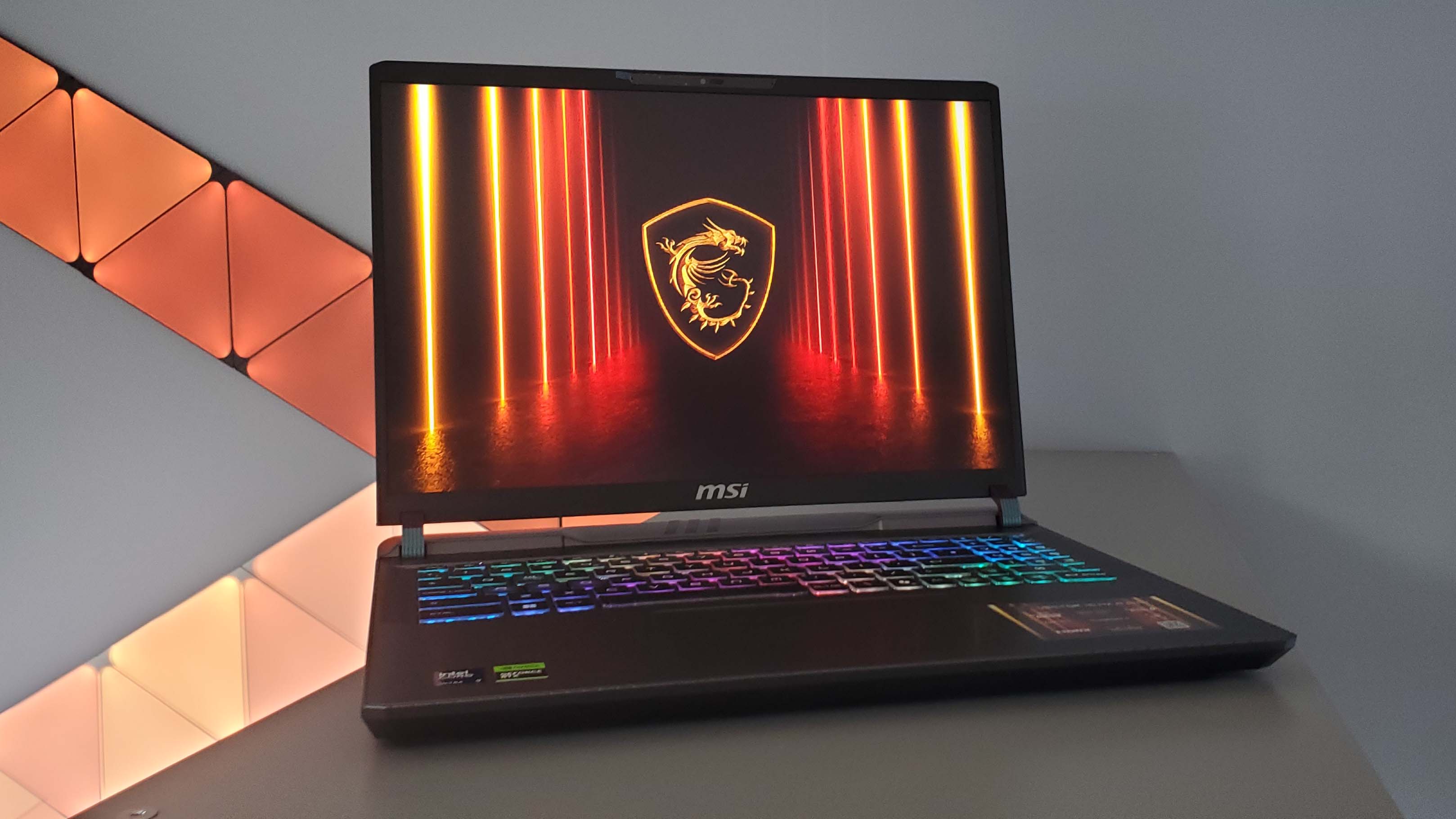
MSI Vector 16 at $1,529 is a solid option for developers who want RTX 5070 Ti for AI development and gaming in one machine — just keep an eye on weight, thermals, and the real total cost
For devs who need to run machine learning workloads and still want to game, this laptop covers both. The RTX 5070 Ti has Tensor Cores for AI training and RT Cores for ray tracing in games. At $1,529, the price doesn’t sting as much as building a comparable desktop piece by piece.
That said, heat and fan noise are real concerns — gaming laptops get loud under full load. Battery life isn’t great when pushing AI training or gaming. If you’re working on the go constantly, think twice. But if you’re mostly desk-bound and just need occasional portability, the value is there.
MSI Vector 16 — The Machine
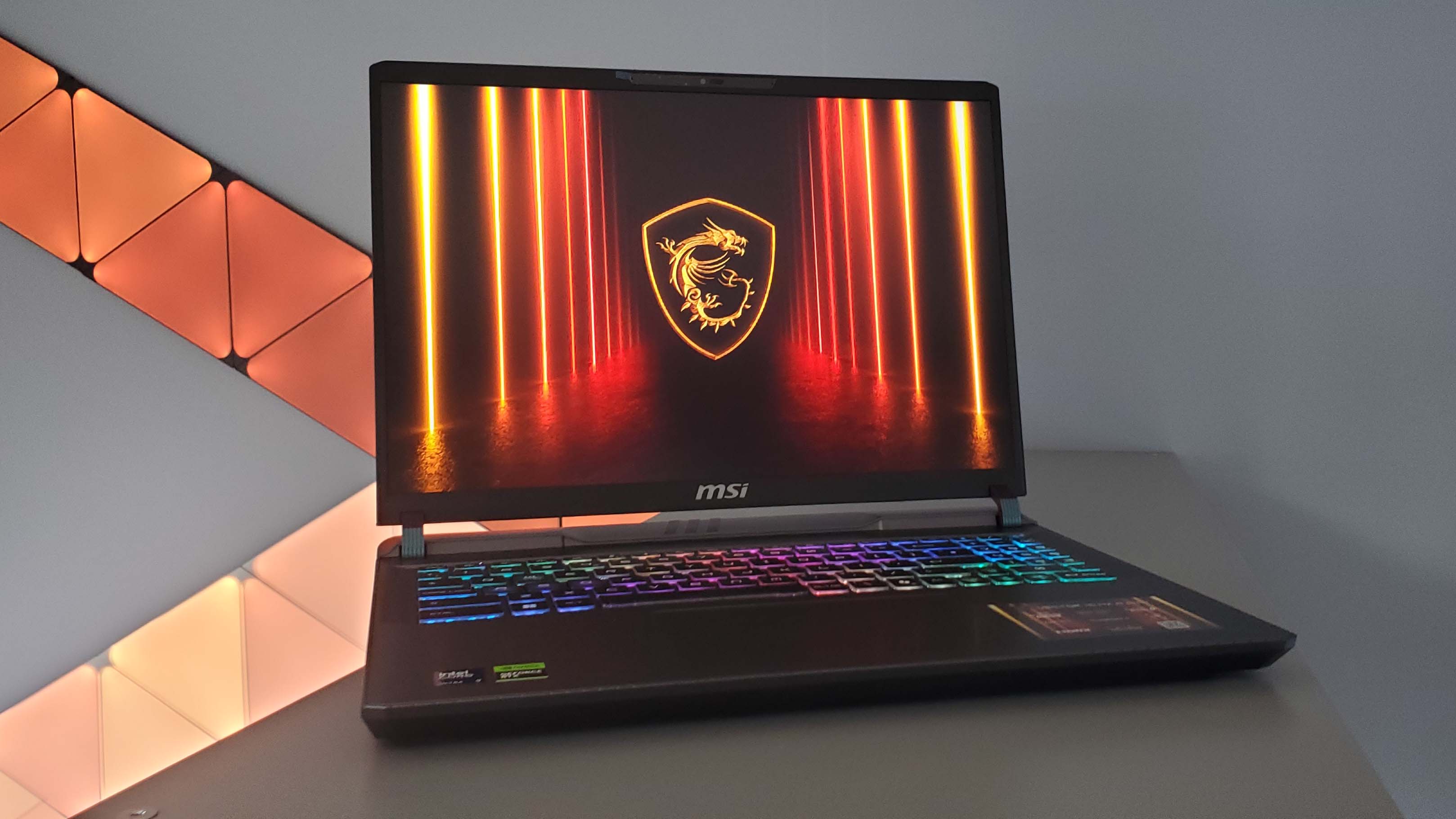
The Vector 16 looks like a gaming laptop without going overboard. It’s thick — the thermal system demands real estate — but it doesn’t look out of place in an office.
The 16-inch QHD 165Hz panel is sharp and vivid. Gaming is smooth, and coding plus visualizations benefit from the extra screen real estate. The RGB keyboard is comfortable to type on and configurable.
Portable, but not light. Expect 2.5–3 kg. You can carry it in a backpack, but don’t confuse this with an ultrabook.
The Core Problem This Solves
A lot of developers hit the same wall: they need a powerful machine for training AI models, but after work they want to play AAA games smoothly. The usual outcome is buying two machines or compromising on both fronts.
The RTX 5070 Ti here handles both. With 16GB GDDR7 and 3840 CUDA cores, AI development workloads run well. Gaming at 1440p is smooth with a 2497 MHz boost clock. One machine, no switching.
At $1,529 after discount, this beats buying a desktop AI rig and a gaming laptop separately — especially if you’re tight on space.
Where the Vector 16 Sits in MSI’s Lineup
The Vector 16 sits between the Pulse and the Raider — mid-tier, performance-focused, no frills. It’s not as slim as the Stealth or as RGB-saturated as the Raider.
Target audience: devs and creators who need to work and game. The 145W TDP is a sensible ceiling — enough power without turning the fans into a jet engine. At $1,500–2,000, it competes directly with the ASUS TUF and Acer Predator lines.
If you don’t want to overspend but don’t want to compromise on specs, the RTX 5070 Ti at this price is a legitimate sweet spot.
New vs. Old
| Factor | Vector 16 (new) | Vector 16 (prev gen) |
|---|---|---|
| GPU | RTX 5070 Ti | RTX 4060 Ti |
| VRAM | 16GB GDDR7 | 8GB GDDR6 |
| CPU | Intel 14th Gen | Intel 13th Gen |
| RAM | 32GB DDR5 | 16GB DDR5 |
| Display | 16" 240Hz QHD | 16" 144Hz FHD |
| Price | $1,529 (discounted) | $1,899 |
The upgrade is significant. The RTX 5070 Ti doubles the VRAM — 16GB vs 8GB — which matters when loading large models. The display jumps to QHD 240Hz for higher-fidelity work and gaming.
The price drop from $1,899 to $1,529 makes it genuinely compelling: you’re getting a top-tier GPU spec at a mid-range price point. For devs who want one machine that does everything, this deal is hard to ignore.
From Specs to Real Workloads
16GB GDDR7 means loading 7B–13B parameter LLMs without memory overflow. Fine-tuning smaller models locally is feasible. The Intel i7 CPU handles data preprocessing while the GPU runs inference — both lanes occupied simultaneously.
The QHD 240Hz panel means after the dev session ends, switching to Cyberpunk 2077 with full ray tracing is genuinely smooth. The dual-fan cooling keeps noise reasonable during video calls — unless you push it to full load.
A workstation at this performance level for $1,529 is a real sweet spot. Separately buying a desktop AI rig and a gaming laptop would easily exceed $3,000.
Compared to the Competition
| Factor | MSI Vector 16 | ASUS TUF A16 | Lenovo Legion 5 |
|---|---|---|---|
| GPU | RTX 5070 Ti | RTX 4060 | RTX 4050 |
| RAM | 16GB DDR5 | 16GB DDR5 | 16GB DDR4 |
| Display | 165Hz QHD | 144Hz FHD | 120Hz FHD |
| Price | $1,529 | $1,299 | $1,199 |
The ASUS TUF A16 is $200 cheaper but steps down to an RTX 4060 — a significant gap. The Legion 5 is cheapest but runs an RTX 4050 with DDR4, which is a poor fit for AI workloads.
For devs who need to train models or run real inference, the Vector 16’s Tensor Cores in the RTX 5070 Ti are genuinely faster than the RTX 4060 by a large margin. Saving $200 and losing that capability makes less sense if GPU compute is the actual bottleneck.
If the budget allows, don’t cut the wrong corner.
Honest Pros and Cons
Pros
- +RTX 5070 Ti Tensor Cores are a generational leap over RTX 4060 for ML workloads
- +DDR5 RAM handles AI workloads better than DDR4 in cheaper alternatives
- +$1,529 is less than buying an RTX 5070 Ti card alone plus a separate gaming laptop
- +16-inch panel works well for both coding and gaming
Cons
- −Heavier than an ultrabook — daily carry will be noticeable
- −Battery drains fast under AI training or gaming
- −Fans get loud at full load — not suitable for quiet open offices
- −Premium over entry-level laptops; total setup cost is significantly higher
For devs doing real AI work, the strengths clearly outweigh the weaknesses. If you’re just writing web apps, you don’t need to spend this much.
The Real Total Cost
$1,529 is the starting point. The base model typically ships with 16GB RAM, which isn’t enough for AI development — upgrading to 32GB adds roughly $200–300.
Extra SSD storage is almost unavoidable; datasets and models eat disk space fast. A decent cooling pad adds $50–80 to keep temps in check.
Software licenses (Windows Pro, dev tools, cloud credits for model backup) add several hundred dollars more. International shipping plus import duties can add 15–20% on top of the device price. Realistically, budget $2,200–2,500 to have a complete setup.
Put another way: the true all-in cost is close to a 16-inch MacBook Pro — but you’re getting an RTX 5070 Ti that the Mac can’t touch for GPU compute.
Who Should Buy It, Who Shouldn’t
Buy it if: You’re a freelance developer doing AI model work (7B–13B range), need 16GB+ VRAM for fine-tuning, and want one machine. Indie game devs who want RTX 5070 Ti power without desktop budget. Content creators doing 4K rendering or semi-pro streaming.
Skip it if: You’re on an enterprise team where stability matters more than raw performance — a ThinkPad makes more sense. Casual gamers playing MOBA or older FPS titles — $1,529 is overkill. Web or mobile devs who don’t need GPU compute — the money is better spent elsewhere.
If you’re going to use GPU compute seriously, it’s worth it. If you’re buying it primarily to game, you’re probably overspending.
The Bottom Line
MSI Vector 16 at $1,529 is the most value-dense option for developers who genuinely need AI development performance. The RTX 5070 Ti’s Tensor Cores handle machine learning tasks well, and the same GPU runs modern games at high settings without compromise.
The caveat: if you’re only writing web or mobile apps, take that money and buy a MacBook or a business laptop instead. But for computer vision, deep learning, or data science workloads, this is the right GPU at a fair price.
Before pulling the trigger, ask yourself honestly: will you actually use GPU compute? If yes, $1,529 isn’t expensive — a desktop with comparable specs costs the same and you can’t take it anywhere.