TL;DR
The M2 Studio Display is still the same 27-inch 5K panel with the same great color quality, now with an M2 chip that makes Center Stage and the speaker system noticeably smoother. It’s not a dramatic upgrade.
At ฿52,900 (~$1,450 USD) it’s expensive compared to any 4K monitor from other brands, but if you’re deep in the Mac ecosystem and need accurate color for creative work, the price stings less. Honest take: Studio Display is for people who want the Apple experience more than people hunting value-per-dollar.
Build & Design
Studio Display keeps Apple’s signature look — thin bezels, brushed aluminum, pairs perfectly with any Mac. The stand tilts smoothly and rotates 90° for portrait mode if you need it.
What I like: no physical buttons, no LED indicators. Everything is controlled through macOS. The 11.5mm chassis feels solid, not like a display that flexes when you tap it.
A Studio Display on your desk reads as premium immediately. It ages well too — same design language five years later still looks deliberate.
Why You Actually Want 5K in 2024
Running a 4K external display with a MacBook, text always felt slightly soft — open Figma or Final Cut and zoom in, and the blur becomes noticeable.
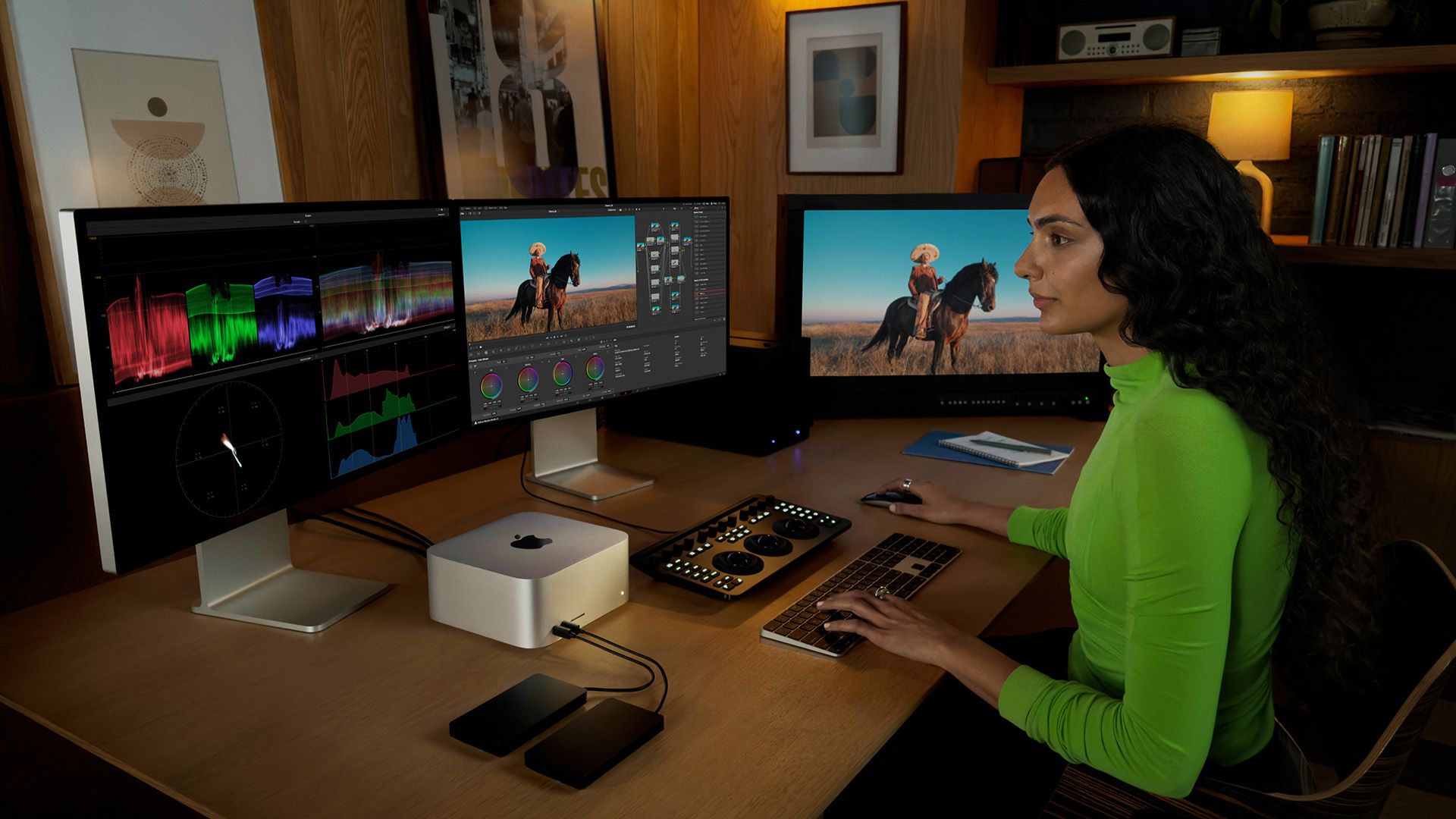
Studio Display’s 5K panel has a higher pixel density that matches Mac’s Retina standard. Small text is comfortable to read at any size, and Adobe Creative Suite renders with more detail. For designers and video editors, 5K reveals shadows in Photoshop and makes color grading in DaVinci Resolve more precise.
If you’re spending on a Mac, the display should keep up. A 1080p monitor paired with an M-series Mac is wasting compute.
Where It Sits in Apple’s Lineup
Studio Display lands between the 24-inch iMac and the Pro Display XDR — Apple’s intended “pro monitor for most people.”
Compare to Pro Display XDR: mini-LED backlight, 1600 nits peak brightness versus Studio Display’s standard LED at 600 nits. Less bright, but sufficient for most workflows. Price delta: Pro Display starts at ฿159,000 ($4,370 USD); Studio Display is ฿52,900 ($1,450 USD).
That positioning makes sense. It’s not overkill like the XDR, but it’s meaningfully better than commodity displays.
Old vs. New
| Factor | Studio Display (original) | Studio Display M2 |
|---|---|---|
| Chip | A13 Bionic | M2 |
| Camera | 12MP Ultra Wide | 12MP Center Stage |
| Audio | 6 speakers | 6 speakers spatial audio |
| Price | ฿47,900 (~$1,315 USD) | ฿52,900 (~$1,450 USD) |
This upgrade is chip-focused. M2 makes Center Stage face-tracking sharper and spatial audio noticeably fuller. The panel itself is unchanged — 27-inch 5K, 600 nits, same brightness cap — with a new Nano-texture glass option as an add-on.
If you use video calls frequently, the M2 is the obvious pick. If you primarily do heads-down work, the original is still fine.
Key Features in Practice
The 12MP Ultra Wide camera with Center Stage is the standout new feature for calls — it tracks your face automatically, so you’re not adjusting your chair to stay in frame during a Zoom. Works reliably, not gimmicky.
Six-speaker spatial audio is genuinely good. Music and films have actual depth instead of flat stereo. The Thunderbolt 3 hub handles peripherals without a separate dock. True Tone and P3 wide color remain the standard for photo/video work — colors come out accurate instead of shifted.
If you do creative work or live on video calls, these features carry their weight. The price premium is still real.
Against the Competition
| Factor | Studio Display M2 | LG UltraFine 5K | Dell UltraSharp U2723QE |
|---|---|---|---|
| Size | 27-inch 5K | 27-inch 5K | 27-inch 4K |
| Resolution | 5120x2880 | 5120x2880 | 3840x2160 |
| Camera | 12MP Center Stage | None | None |
| Speakers | 6-speaker spatial audio | None | None |
| Price | ฿52,900 (~$1,450) | ฿39,900 (~$1,095) | ฿19,900 (~$545) |
Studio Display wins on features — built-in Center Stage webcam and spatial audio mean you don’t need to buy a separate webcam or external speakers.
LG UltraFine 5K matches the resolution but ships bare. About ฿13,000 (~$355) cheaper. Dell is 4K only but half the price and works with any OS. If your budget is tight, Studio Display is hard to justify. If features matter, it’s the clear pick for Mac users.
Pros & Cons
Pros
- +5K resolution — detail you can actually see in design and video work
- +Center Stage auto-tracking makes video calls hands-free
- +6-speaker spatial audio is better than most external speakers you'd buy separately
- +True Tone auto-adjusts white balance to ambient light
- +Apple build quality — solid chassis, no flex, no creaks
Cons
- −฿52,900 (~$1,450) is steep — especially without HDR
- −No physical brightness buttons — fully macOS-dependent
- −Base stand only tilts, no height adjustment without paying more
- −Two ports: Thunderbolt + USB-C only, no HDMI
- −Poor Windows compatibility — software features don't translate
If you’re a Mac user with budget to spare, Studio Display delivers on quality and ecosystem integration. If you’re on PC or watching your spend, look elsewhere.
Hidden Costs
The ฿52,900 ($1,450) base price doesn’t include everything you might actually need. Height-adjustable stand: add ฿3,200 ($88). VESA mount: ฿1,600 ($44). A 2-meter Thunderbolt cable (the included cable is 1.8m): ฿1,290 ($35). Nano-texture glass to cut glare: ฿1,600 (~$44).
Fully kitted out you’re looking at roughly ฿60,000 (~$1,645) — about 15% over the listed price. Worth thinking through which add-ons you actually need before committing.
Who Should Buy It
Buy it: Creative pros doing video editing, 3D rendering, or photography who need 100% sRGB accuracy and P3 wide color gamut. The 27-inch 5K panel is purpose-built for detail work where a 4K display leaves things slightly soft.
Skip it: Office work, gaming, or watching video. No HDR support, no HDMI — and without macOS, most software features don’t work at all.
Alternatives: LG UltraFine 4K at ฿20,000 ($550) for Mac users on a tighter budget; Dell U2723QE at ฿25,000 ($685) if you need USB-C and HDMI and run both Mac and PC.
Final Verdict
Studio Display is a good monitor for Mac users, but ฿52,900 (~$1,450) demands scrutiny. P3 color and True Tone are genuinely excellent. The missing HDR and HDMI are real gaps.
For Mac-based creative work with a real budget: buy it. For general use, gaming, or anything cross-platform: Dell or LG makes more sense. This display was designed specifically for the Mac ecosystem — it doesn’t pretend otherwise.
Simple decision rule: Mac + creative work + budget not a concern = buy. Missing any one of those three = there’s a better option for you.